
zex package manager
Install, remove, update and audit software with zex.
zex is the package manager of Zainium OS: one static Rust program, currently 6.0, which installs, removes, updates and audits packages. Every package is signed and checked before it is installed, new software appears at once without a reboot, and besides Zainium's own packages it can install from Void, Alpine and Chimera. Anything that changes the system runs as root through elevate:
elevate zex <command> [options] [packages]
zex help
Where things go
| What | Path | Changed by |
|---|---|---|
| Base OS | /overlayer/syshub | zex syshub --u only, applied at the next boot |
| Your packages | /overlayer/zexlib/union, seen merged into /overlayer/syshub | zex install, remove, uland --u |
| Package receipts | /overlayer/zexlib/registry/installed/<name>.toml | zex |
| Mirrors, tiers, signature mode | /overlayer/syshub/engine/services/zex_services.toml | admin |
Sources
Every mirror is asked at once; the first one in priority order that has the package wins.
| Tier | Source | Format | Flag |
|---|---|---|---|
| T1 | Zainium | .zex | --zainium |
| T2 | Void Linux (musl) | .xbps | --void |
| T3 | Alpine Linux | .apk | --alpine |
| T4 | Chimera Linux | .apk | --chimera |
Packages from Void, Alpine and Chimera are adapted when installed: program loader, library path, pkg-config prefixes and script interpreters are rewritten to Zainium paths.
Installing
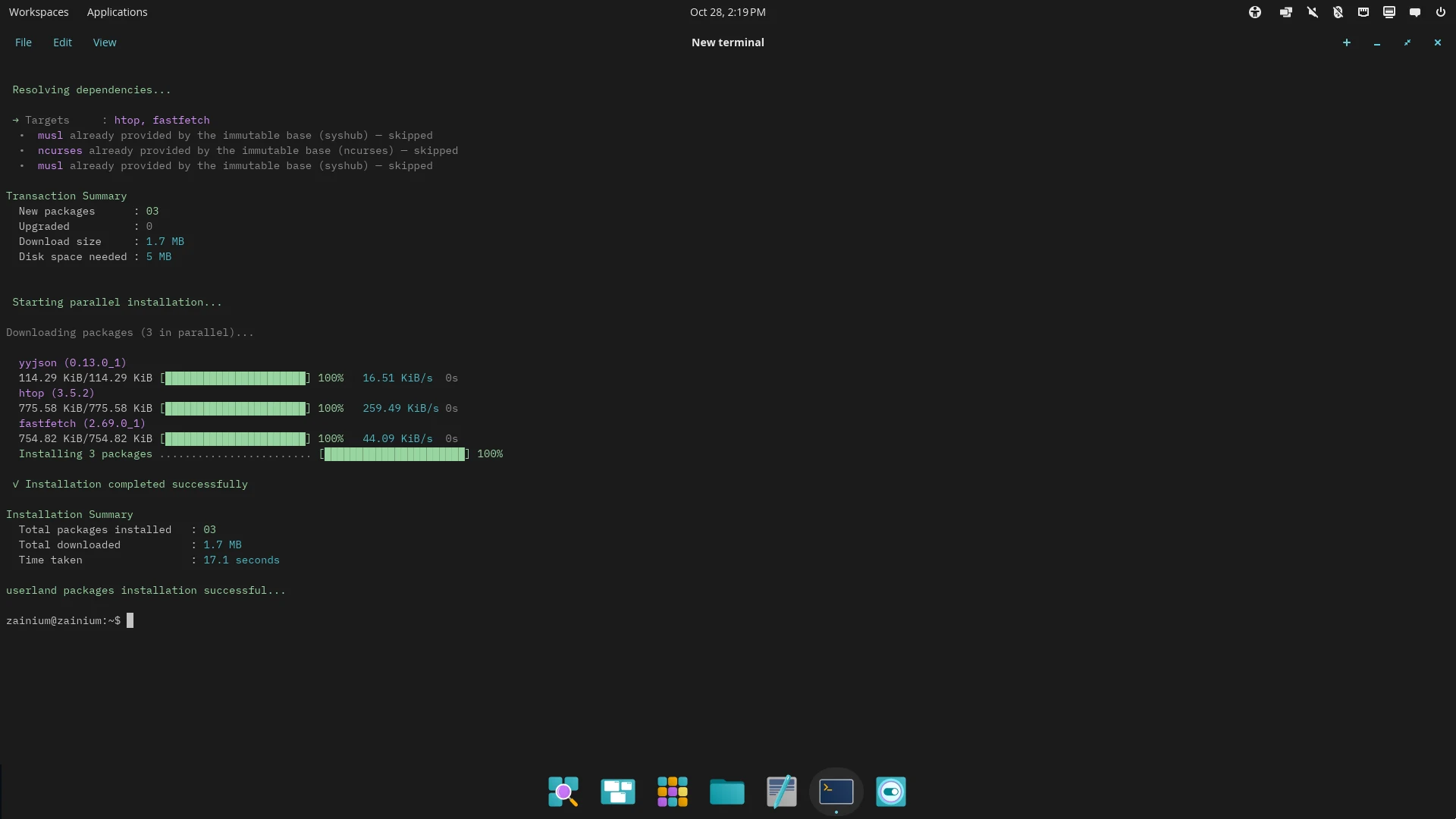
elevate zex install htop                 # best source by priority
elevate zex install vim git curl         # several at once
elevate zex install --void wget          # only from Void
elevate zex install neovim --dry-resolve # show what would be installed
elevate zex local-install ./app.zex      # a local .zex, .apk or .xbps
While installing, zex checks:
- Signatures and integrity — Ed25519 and BLAKE3 for
.zex, the upstream schemes for Void, Alpine and Chimera. - Shared libraries — every library a package links must exist or come from a repository; otherwise zex asks first.
- Base files win — a file the base already has is left out of the package. Base names such as
coreutilsormuslcannot be installed into the userland. - Conflicts — a file owned by another package stops the install unless
--forceis given.
Dependency resolution
zex resolves the whole install before it changes anything, so a system never ends up with broken or half-installed packages:
- It builds the full dependency graph of the requested packages across every source.
- It reads every program and library in those packages for the shared libraries they link (
NEEDED) and checks that each one is provided — by the base, by an installed package, or by a package in the transaction. - A missing library is added from the repository that provides that exact version.
- If a dependency cannot be satisfied anywhere, zex stops and tells you which one, before installing anything. You can still choose to install, but never by accident.
- Names the base already provides (such as
muslorcoreutils) count as satisfied, so packages from other distributions do not pull a second copy of the base.
Use --dry-resolve to see the resolved graph without installing, and --lock-out / --from-lock to pin an exact graph and replay it on other machines.
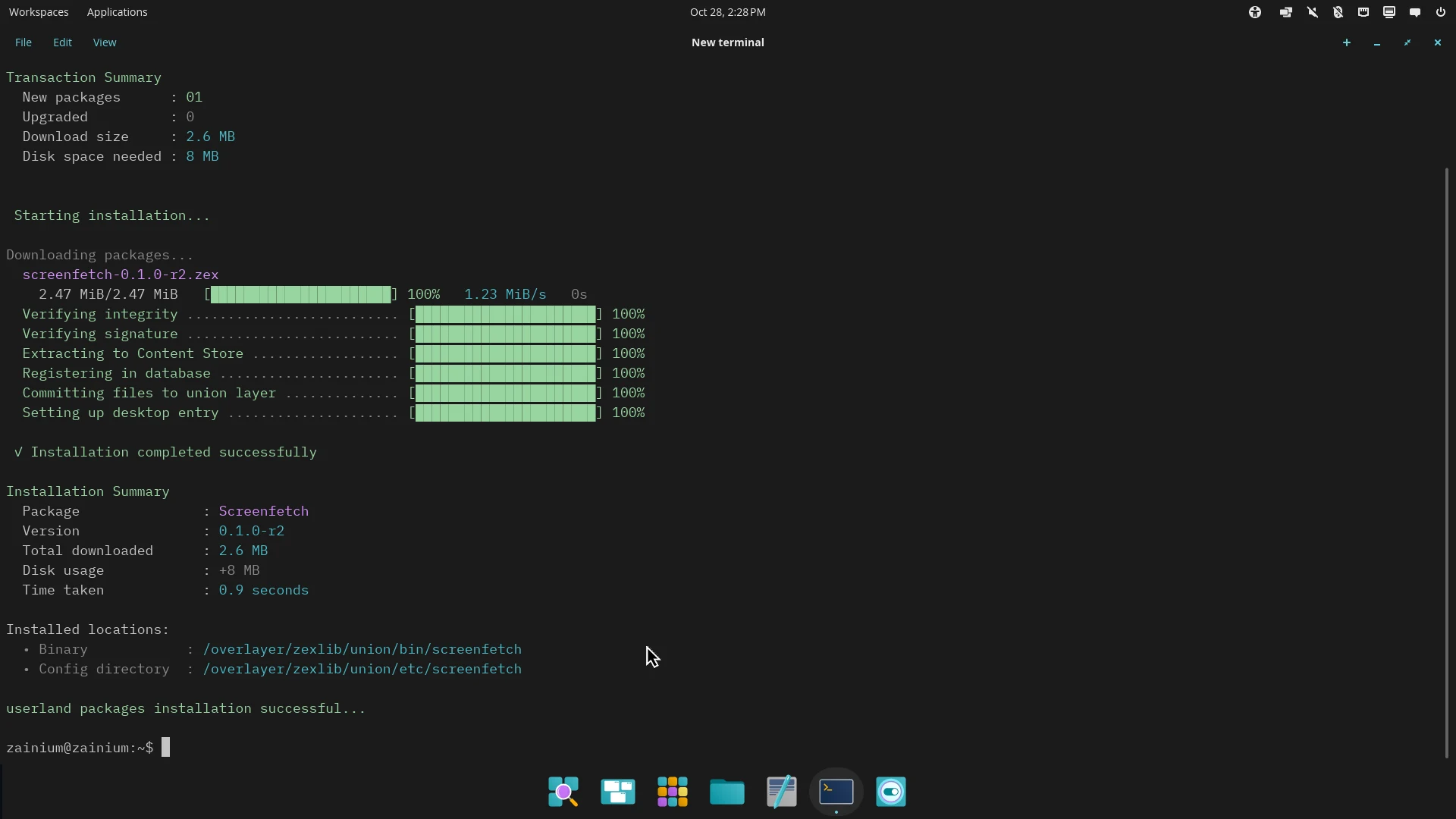
A native .zex package is checked for integrity and its signature before its files are committed to the userland layer:
Removing
elevate zex remove htop
elevate zex remove vim htop --dry-run
zex deletes exactly the files recorded in the package's receipt. Base packages cannot be removed.
Updating
elevate zex update                 # indexes, then userland and base
elevate zex update --uland-only    # your packages only
elevate zex syshub --u             # the base only
elevate zex kernel --u # kernel, quantra-ramfs and boot loaderBase upgrades are staged and applied at the next boot; see updates and upgrades. Upgrades replace each file instead of writing into it, so they also work on software sealed with fs-verity.
Looking around
zex search "fuzzy finder"          # every source
zex search ripgrep --tier void     # one source
zex inspect ripgrep                # version, files, libraries, integrity
zex depends ripgrep                # dependency tree
zex why libssl                     # what depends on it
zex history                        # install, remove and upgrade timeline
Maintenance
elevate zex doctor                 # audit registry, links, the base, musl and glibc
elevate zex doctor --fix
elevate zex sweep --dry-run        # cache and temp cleanup
zex rollback --list                # transactions
elevate zex rollback <tx_id>
elevate zex pin gcc                # hold a package at its version
fs-verity for your packages
The base and the boot files are always sealed with fs-verity. Your installed software in /overlayer/zexlib/union is sealed only if you choose to:
elevate zex verity                 # show the setting
elevate zex verity --union on      # seal it now and at every boot
elevate zex verity --union off     # stop sealing new files at boot
etc and var are never sealed. Files sealed already stay sealed until an upgrade or reinstall replaces them; zex replaces them either way, so upgrades keep working. See how syshub is protected.
Desktop applications
Desktop applications are also available through Flatpak (elevate zex install flatpak) and the COSMIC Store.